
 By
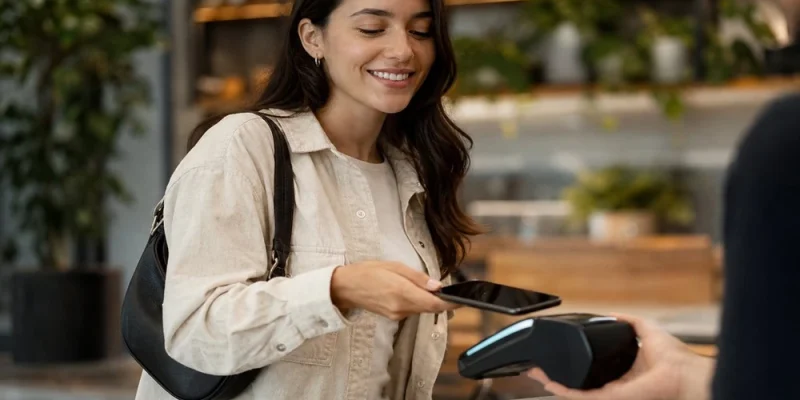
Which eCash wallet you pick will depend on your needs. Here’s a quick guide to help you decide.
Match Wallet Control to Your Risk Tolerance
What Is an eCash Wallet?
An eCash wallet is an application that lets you make payments using eCash. A good eCash wallet will allow you to send and receive money seamlessly, and give you full control over your eCash balance.
Custodial vs. Self-Custody eCash Wallets
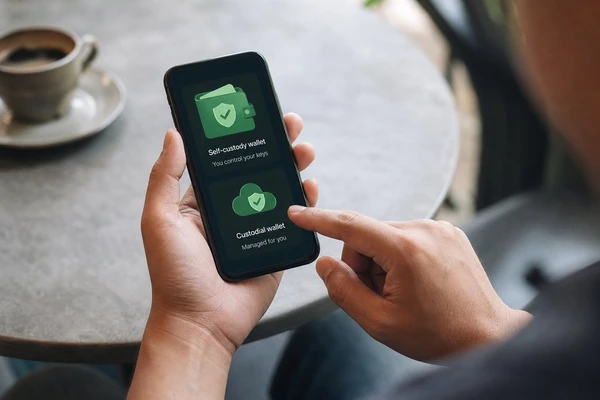
eCash wallets can be custodial or self-custody.
Custodial eCash wallets are managed by a third party, who typically has control over the private keys associated with your wallet. These types of wallets can be easier to set up and you may be able to restore wallet access through your login method, but you’re dependent on the custodian’s systems, policies, and service availability for access to your eCash.
Self-custody eCash wallets allow you to control the private keys (or recovery phrase) to your wallet, staying true to the spirit of decentralised digital cash. These wallets put the onus on you to securely store your wallet recovery info though, as losing this information may mean there’s no way to restore your wallet.
- Device compatibility – will you be using your eCash wallet on desktop, mobile, or both?
- Ease of backup – can you easily transfer your eCash wallet if you get a new device?
- Compatibility with other tokens – will you be using your wallet for other blockchains and tokens too?
- Advanced transaction options – will you need to tweak transaction options like the fee you’re willing to pay?
- Privacy-focused features – are privacy-focused crypto products and services a priority for you?
Confirm Address and Token Compatibility
- Send and receive eCash (not just view balances)
- See transaction statuses and history
- Restore your wallet using a recovery phrase (important if you’ll be using your wallet on multiple devices)
Secure Access Before Funding the Wallet
Balance a Clear Interface With Strong Security
Your wallet should also let you back up its recovery phrase, a standard safeguard discussed at https://www.en.wikipedia.org/wiki/Cryptocurrency_wallet, so you can store the backup offline. Storing your recovery phrase on paper is more secure than in a cloud-based notes app, in an email to yourself, or as a screenshot.
Test the Wallet Against Real Usage
Decide How You Plan to Use eCash
Different wallet types suit different use cases, and the guide “here are the best ecash wallets” compares those options for readers making a selection. If you’re planning on spending your eCash regularly, you might prefer a more mobile-friendly wallet that makes it easy to check your balance and scan payment codes. On the other hand, if you mostly store eCash long-term, you might prefer a desktop wallet with more options for organizing transactions and managing different addresses and balances.
Other questions to ask yourself when choosing an eCash wallet include:
- Will I regularly send eCash to other people?
- Will I receive eCash payments regularly?
- Do I want to use more than one eCash address?
- Can I see the transaction speed and fees I’m paying before I approve the transaction?
- Can I easily check or export my transaction history?
If you’ll be making lots of eCash transactions, it’s nice to have a wallet that shows transaction info in a clear and legible way and won’t let you fat-finger a transaction! It’s always good to double-check the recipient’s eCash address, the amount you’re sending, and the network fee you’re paying before you confirm a transaction.
Check the Wallet’s Privacy Settings
Some eCash wallets are more private than others, and some wallets collect more info about you (email address, transaction history, analytics data, etc.) than others. Some wallets are even designed to route your traffic through servers that can see the requests you’re making from your wallet.
If privacy is important to you, you might prefer an eCash wallet that doesn’t ask for lots of personal information and gives you control over your wallet’s internet connection. Still, make sure the wallet’s privacy options won’t interfere with your ability to reliably use your eCash wallet!
Before you store a meaningful amount of eCash in a wallet, make sure you’ve checked the app’s privacy settings and know whether it:
- Generates a new receiving address when needed
- Sends data somewhere by default
- Has analytics or data collection that can be turned off
Test Before Depositing More eCash
Before you deposit lots of eCash into your new wallet, receive a small amount of eCash, send a small amount of eCash, and practice restoring access to your wallet. This will give you a chance to see how long transactions take to go through, make sure your wallet does everything you need it to do on your device, and familiarize yourself with the app’s interface and eCash address format.
There is no objectively best eCash wallet as it all depends on your needs! Choose a wallet that offers good security, an easy way to back up your wallet, and an interface you’re comfortable using. It’s better to use a simpler wallet you understand well and can securely back up than a more complex one you’re not sure how to use. Once you’ve written down your recovery phrase (offline!) and successfully sent and received a small amount of eCash, you’re all set to deposit more eCash into your wallet!


Comments